acemate 2.0 – What's changing and what it means for educators
Last updated 3 days ago
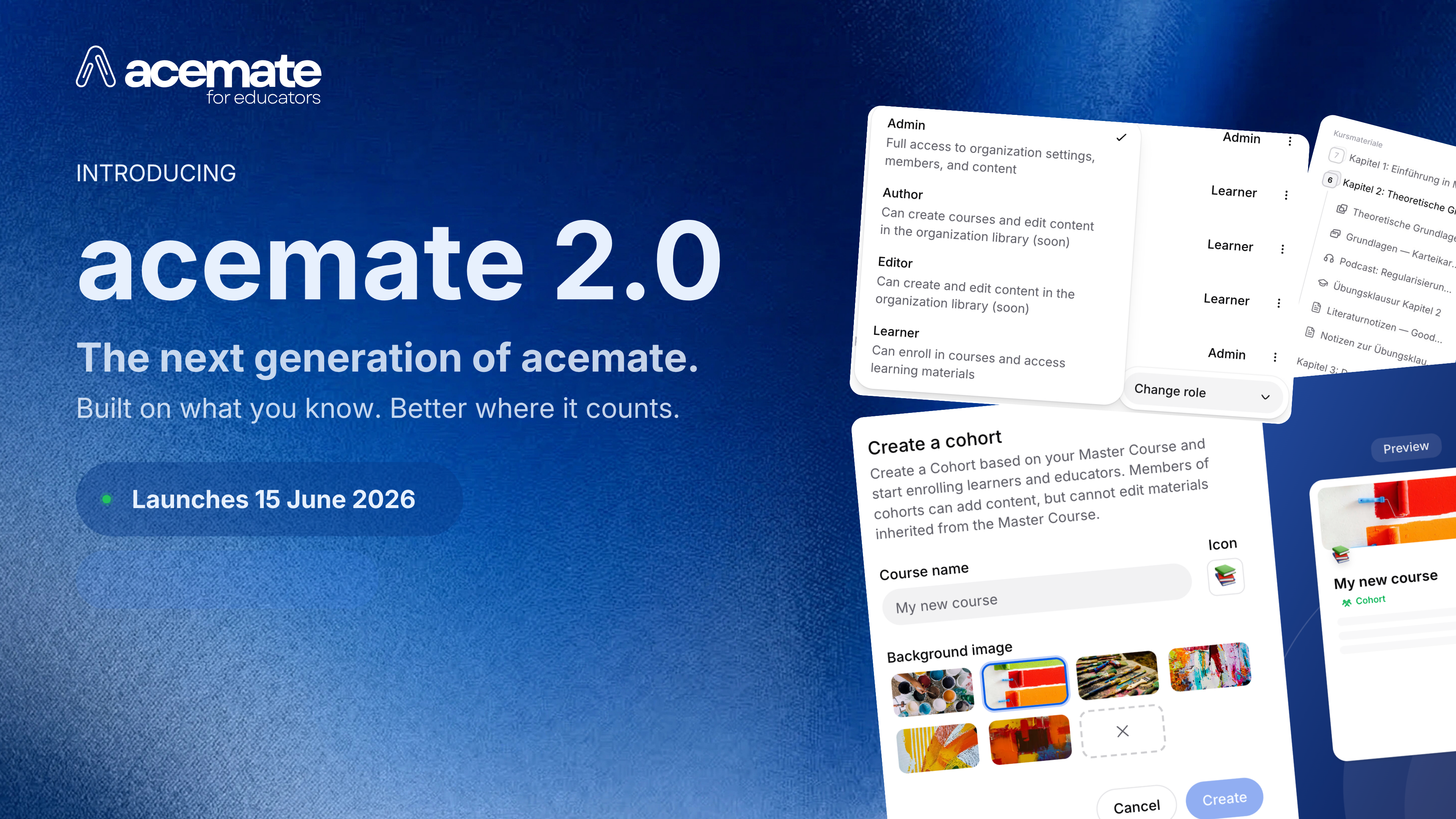
What is acemate 2.0?
acemate 2.0 is the most comprehensive advancement of the platform since its founding, and it grew from a concrete foundation: two years of close collaboration with our partner universities, educators, and students.
Over that time, requirements emerged that went beyond what the existing platform architecture could support. How can recurring courses be managed more efficiently? How can organisations centrally manage their members, roles, and licences? How does a student enrolled in five different courses find their way quickly and without detours? And how does acemate integrate meaningfully with existing university systems such as LMS and SSO?
acemate 2.0 gives concrete answers to these questions. The platform receives a new course structure, a completely redesigned interface, an Admin Panel for organisations, and a technical foundation built to carry the platform through the requirements ahead.
Why acemate 2.0?
University teaching is rarely a one-off event. The same lecture recurs semester after semester, runs in parallel across different groups, and is delivered by educators who share the same underlying materials. The previous course structure in acemate was only partially suited to this reality: content had to be rebuilt or laboriously duplicated for each new run, and a clean separation between course content and individual course instances was not possible.
At the same time, our partnerships have grown. Where individual educators once used acemate in their own courses, entire departments, chairs, or university administrations now coordinate its use in many cases. That places different demands on roles, permissions, and transparency around members and licences.
On the student side, expectations for digital learning environments have shifted. Students are accustomed to modern, well-structured, personalisable interfaces and expect to reach relevant content quickly and directly.
acemate 2.0 was built to meet these requirements.
What's changing: the key updates
New course structure: master courses, cohorts, and classes
acemate 2.0 introduces a new distinction that better reflects the everyday reality of university teaching: the separation between course content and course delivery.
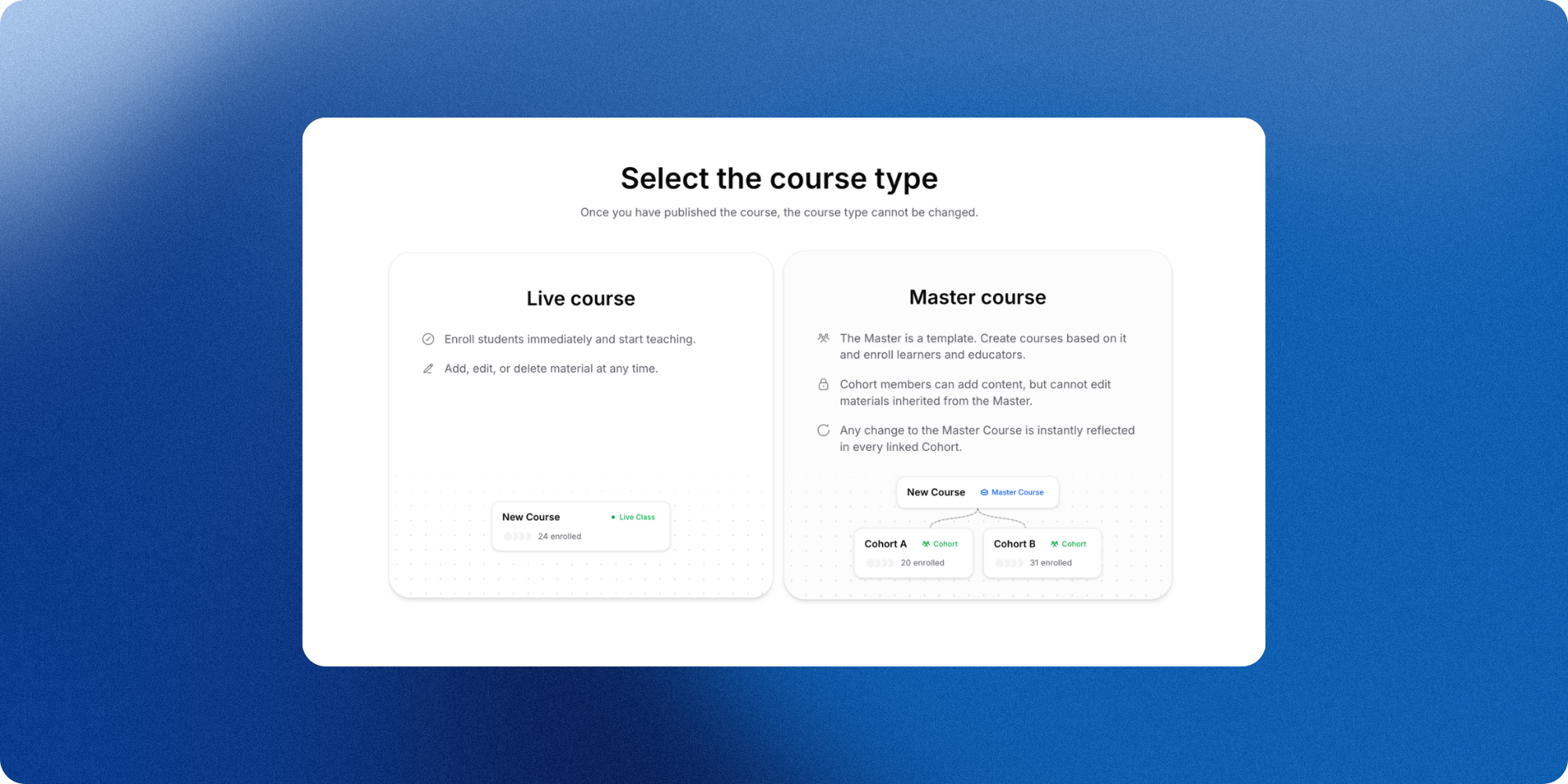
A Master course works as a central content template. Materials, structure, and the didactic framework for a course are built and centrally maintained here. The master course itself contains no enrolled learners. It is the shared starting point for all cohorts that will be based on it.
A Cohort is a concrete instance of a master course. Each cohort has its own group of participants, can be individually extended, and remains a closed learning space. The core content comes from the master course and does not need to be set up again.
A concrete example: The lecture "Introduction to Business Administration" takes place every semester. The content is created and maintained centrally in one master course. Separate cohorts can then be created for the summer semester 2026 and the winter semester 2026/27, both drawing on the same materials but with separate participant groups. Educators at course level are also able to supplement their cohort with additional materials of their own.
A Class remains available as a simple, standalone course type. All courses created before the launch of acemate 2.0 will be automatically migrated to the class format. No manual adjustment is required.
New interface for educators and students
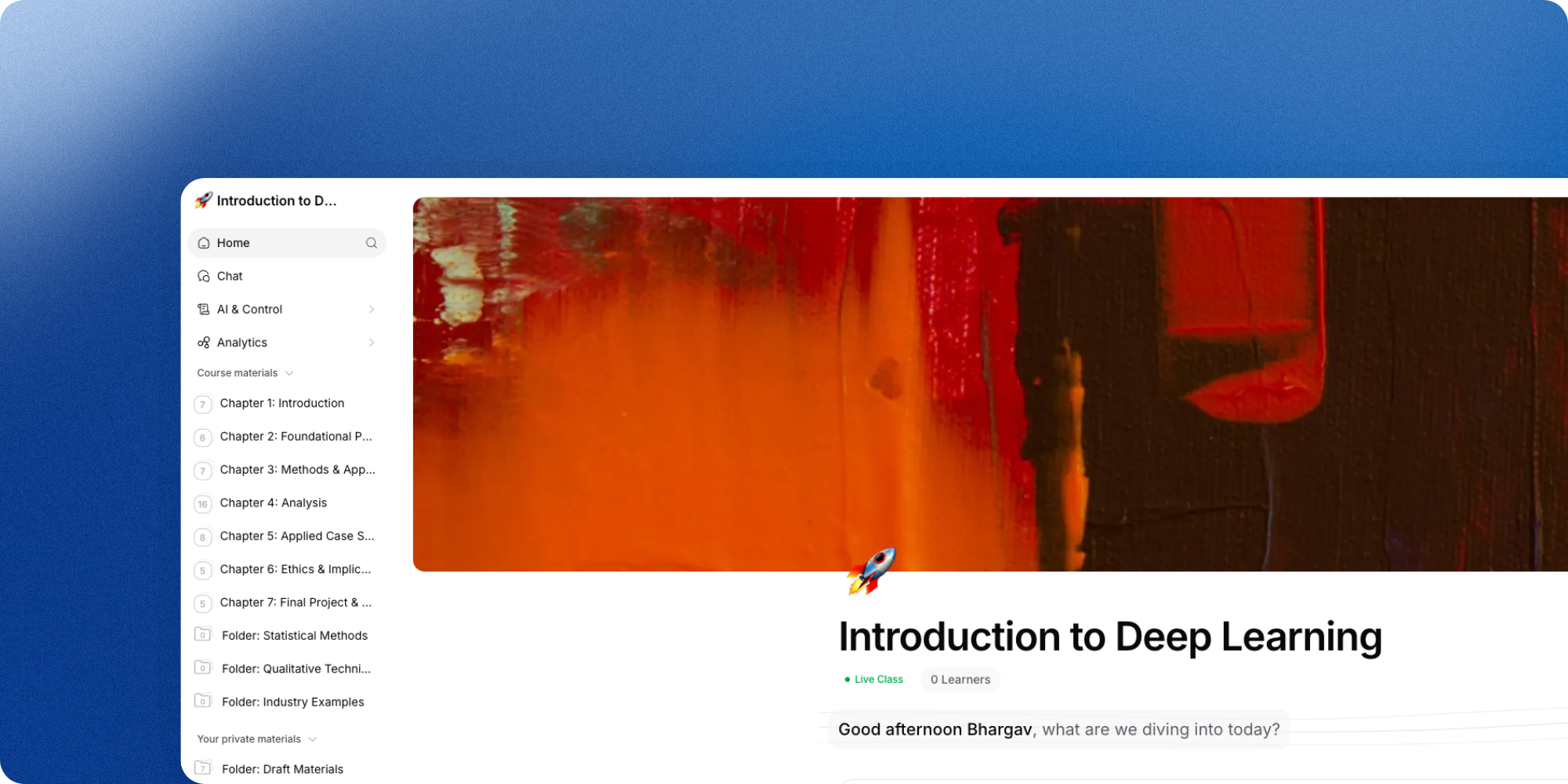
The acemate interface has been completely redesigned. Access to course content is more direct, the course overview is clearer, and the page navigation has been simplified. The platform now has a stronger course platform character, making everyday use of acemate more straightforward for both educators and students.
Students can personalise their learning environment to a greater extent. Elements such as leaderboards and streaks can be individually adjusted, so the platform better reflects individual learning styles.
Admin Panel and organisation management
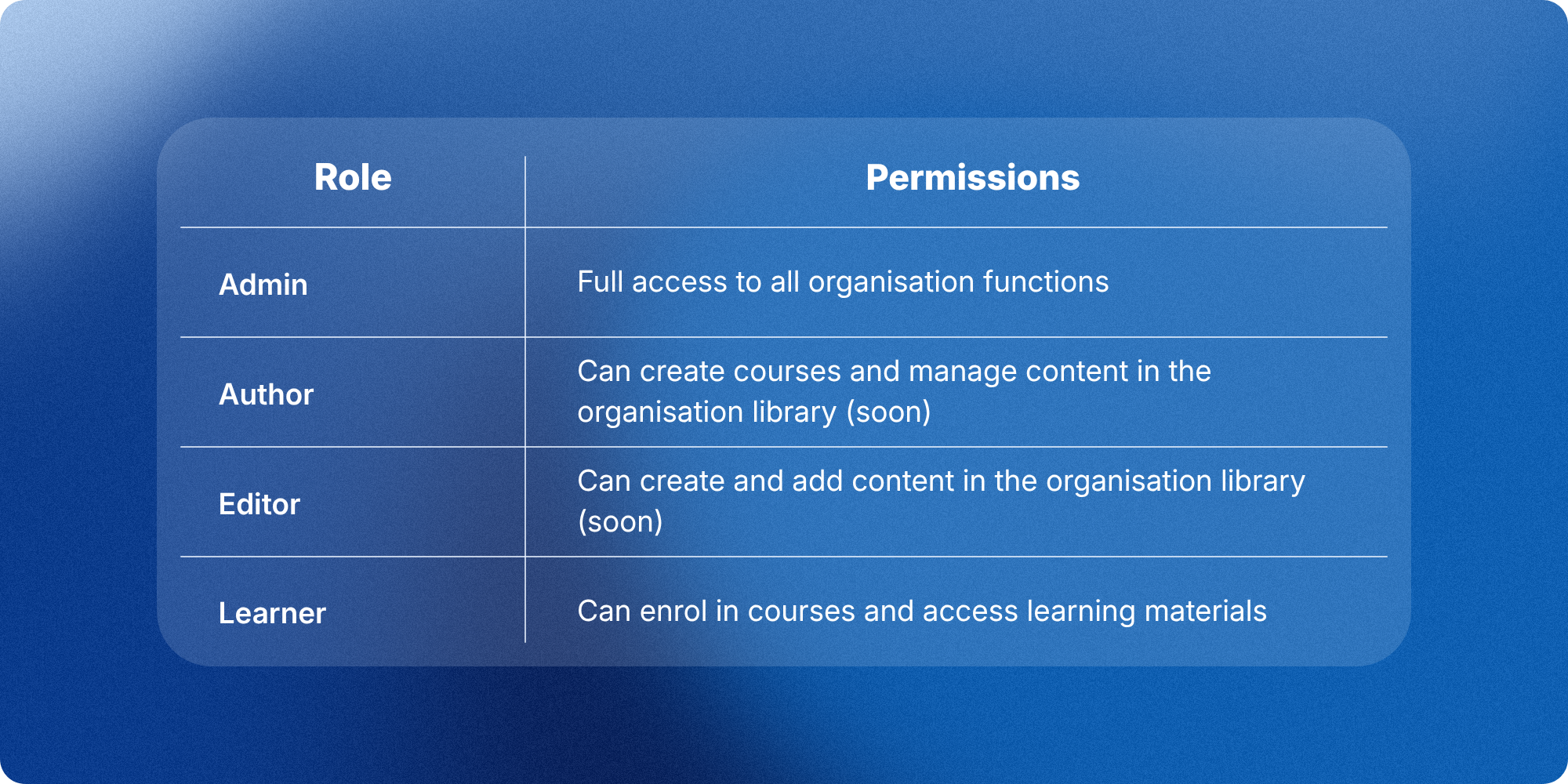
Organisations receive a dedicated Admin Panel with acemate 2.0. Members can be invited, roles assigned, and licences viewed, all from one central location, without having to navigate through individual courses.
Roles on organisation level:
Coming soon: organisation library
A further addition is currently in development and will be introduced gradually after the launch of acemate 2.0: the organisation library.
The idea: content used repeatedly within an organisation can be stored in a shared library and made available to different educators for use in their own courses. This reduces redundancy, supports more consistent platform use across an organisation, and makes collaboration between educators easier.
We will inform you as soon as the organisation library is available.
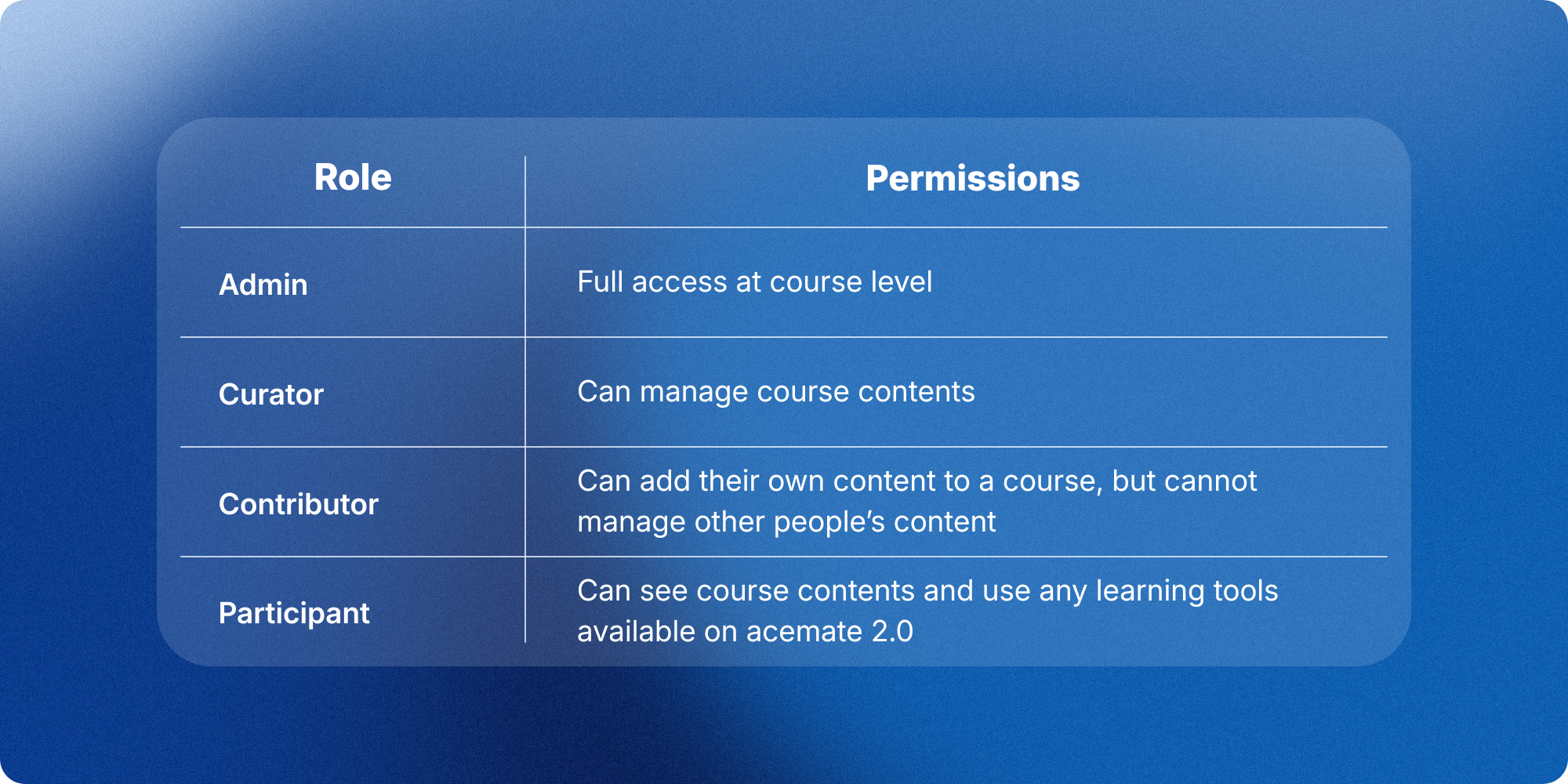
Roles and permissions at course level
The role concept at course level has also been refined. The table below shows what each role can do:
What stays the same
All existing content, course materials, and learning progress of your students will be fully preserved. Ongoing courses will be automatically migrated to the new class format. User accounts remain intact. No manual preparation, no re-uploading of materials, and no restarting of courses is required.
This also applies to courses that are actively running at the time of the update: all enrolled students remain enrolled, all materials and data will be migrated, and the course can continue as normal immediately after the update.
Maintenance window and timeline
To carry out the migration, acemate will be temporarily unavailable during the night of 14 to 15 June 2026.
The maintenance window is scheduled to last from 4:00 a.m. to 8:00 a.m. on 15 June.
Please do not schedule any uploads, course publications, or exam activities during this period.
Educators do not need to take any action during the maintenance window. The migration runs automatically in the background. After the update, it is worth taking a short time to get familiar with the new interface, the new roles, and the new course structure. We are happy to support you with this, for example through the introductory sessions listed below and via the updated Help Center.
Should any issues arise after the update, the acemate support team is available directly. In the weeks immediately before and after the launch, requests will be handled with increased priority.
Contact: directly via our integrated support function or per mail under [email protected]