Getting Started with Daily Quizzes
Learn how to access and launch your personalized daily knowledge check to keep your learning streak alive
Last updated 4 months ago
The Daily Quiz is a quick, AI-generated assessment designed to reinforce what you've learned and highlight areas that need improvement. It is accessible directly from your main dashboard.
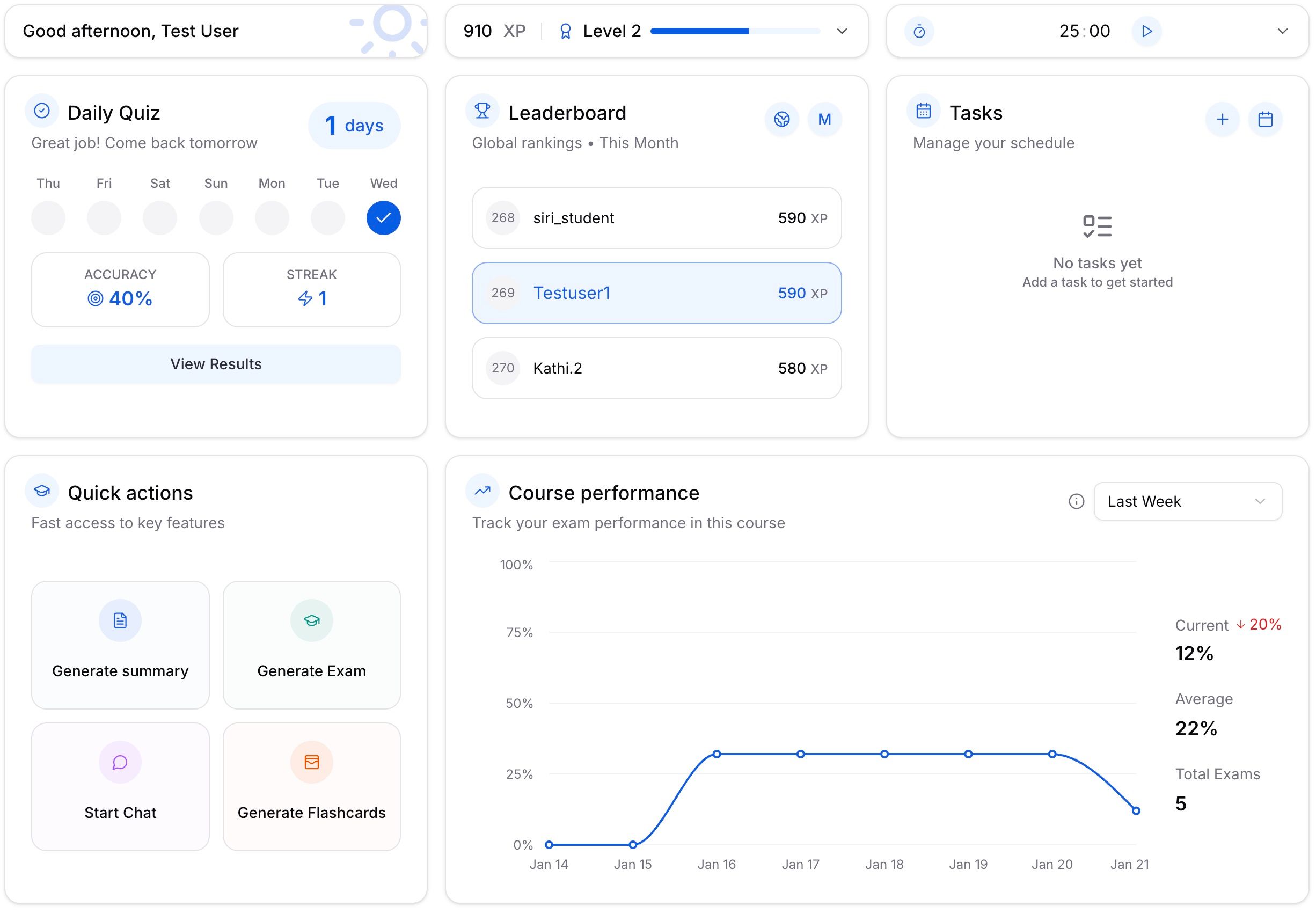
Steps to Launch:
Locate the Widget: On your dashboard, look for the "Daily Quiz" card in the top-left corner.
Check Your Schedule: The card displays a weekly calendar view so you can track your activity.
Start the Quiz: Click the blue "Start Quiz" button.
What Happens Next?
Once you click start, Acemate begins generating a unique set of questions based on your current study materials.
Loading Screen: You will see a "Generating daily quiz..." animation.
Learning Tips: While you wait (usually just a few seconds), the screen displays helpful tips about platform features, such as using the podcast player or organizing study materials.
Note: The quiz is generated dynamically, meaning it adapts to your recent documents and topics to ensure relevant practice.