Private Courses vs Classrooms
Understand private courses and classrooms in depth
Last updated 4 months ago
acemate helps you study alone and together with your teachers. These two modes are called Private Courses and Classrooms.
Private Courses (your personal study space)
Created by you.
You upload your own materials: lecture PDFs, notes, past exams, PPT(link here)
Ideal for self-study, catching up on lectures or exam prep outside of official courses.
All AI features (chat, summaries, flashcards, exams, daily quiz) foxus on your uploads.
Classrooms (teacher created courses)
Created by your instructor or university
You usually join via invitation link or course code.
Materials and structure are controlled by your teacher.
Often, the university pays for access, so you can use acemate more feely in that classroom.
How to create a Private Course
If this is your first time logging in to acemate, at the end of Onboarding you will be prompted to create a course
If you want to create an additional Private course, Click on the Course name (`Test Course` in the screenshot)
Click on the
Create a Coursebutton,Enter your course name and Click on
Create a Coursebutton again.You will be navigated to your new course home page.
How to join a Classroom
Get the invitation link or code from your instructor.
Open the link and click on the Visit Classroom button.
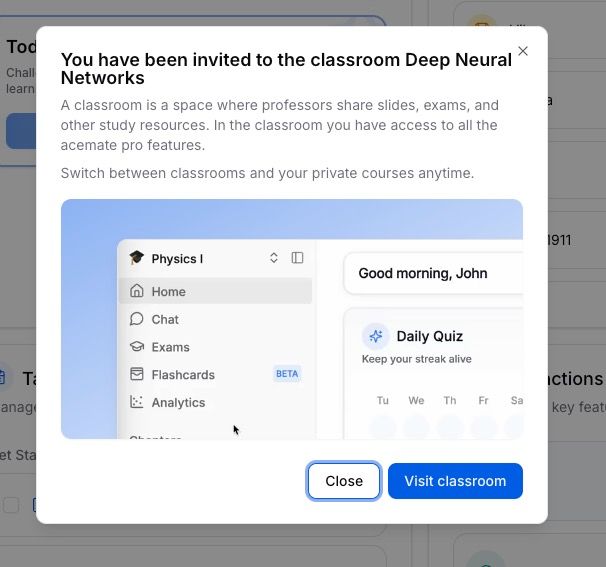
If you have an Invite code, Click on your
Course Nameat the top of the side bar.Click on
Join a ClassroomEnter the invite code and click on
Join Classroombutton.